
The board
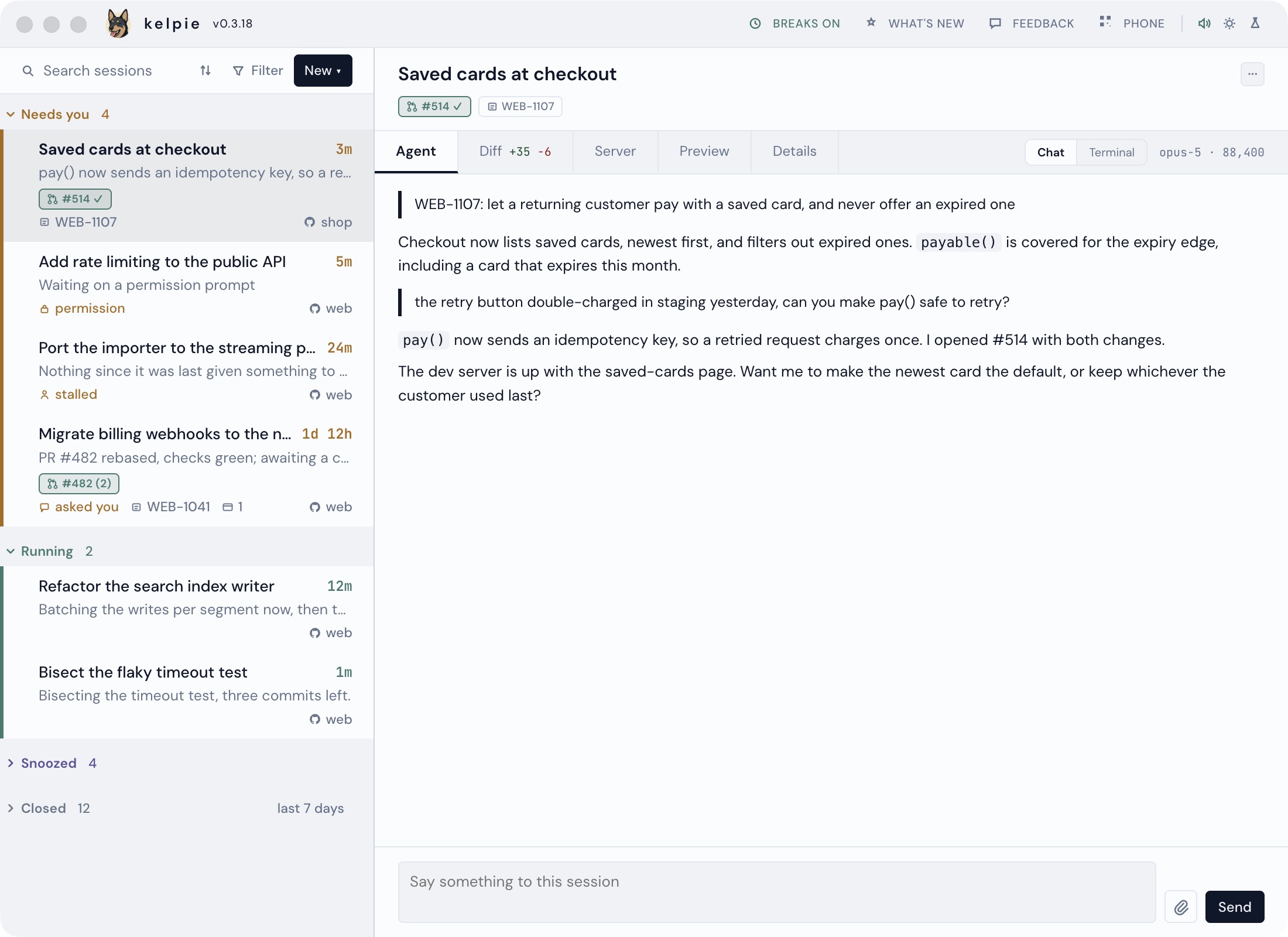
Every row is a session, whichever agent wrote it, grouped by what it needs from you.
The list
Section titled “The list”- New starts a session in a repo you already work in: a chat, a whole feature on its own branch, or a review of someone’s pull request. Pick the agent at the top; kelpie finds the repos, and their worktrees, itself.
- Needs you is anything that asked you a question, is waiting on a permission, stalled, or went quiet, each said in words, with a dot on anything that started waiting since you last looked.
- Running shows what the agent last told you, and how long it has been at it since your last message.
- Snoozed and Closed: snooze one for a time, until its PR moves, or until it does something, and it waits its turn. Close, in the session’s menu, exits a session and moves it to Closed. Closed folds to the last seven days and is still reachable: say something to one and it comes back, or fork it.
- Chips on a row are its pull request, coloured by its build while it is open (checks green or red, unresolved threads in brackets, a tick when GitHub says it is ready), then its ticket and any published artifacts.
- phone, in the masthead, shares the board with your phone.
The tabs
Section titled “The tabs”Click a row to open it. Drag a tab to reorder it, or onto a pane’s edge to split it.
- Agent is the conversation. Chat takes your reply, the question’s own buttons, a pasted image or any file, and stops a session mid-turn. Terminal is the real tmux pane, in your theme.
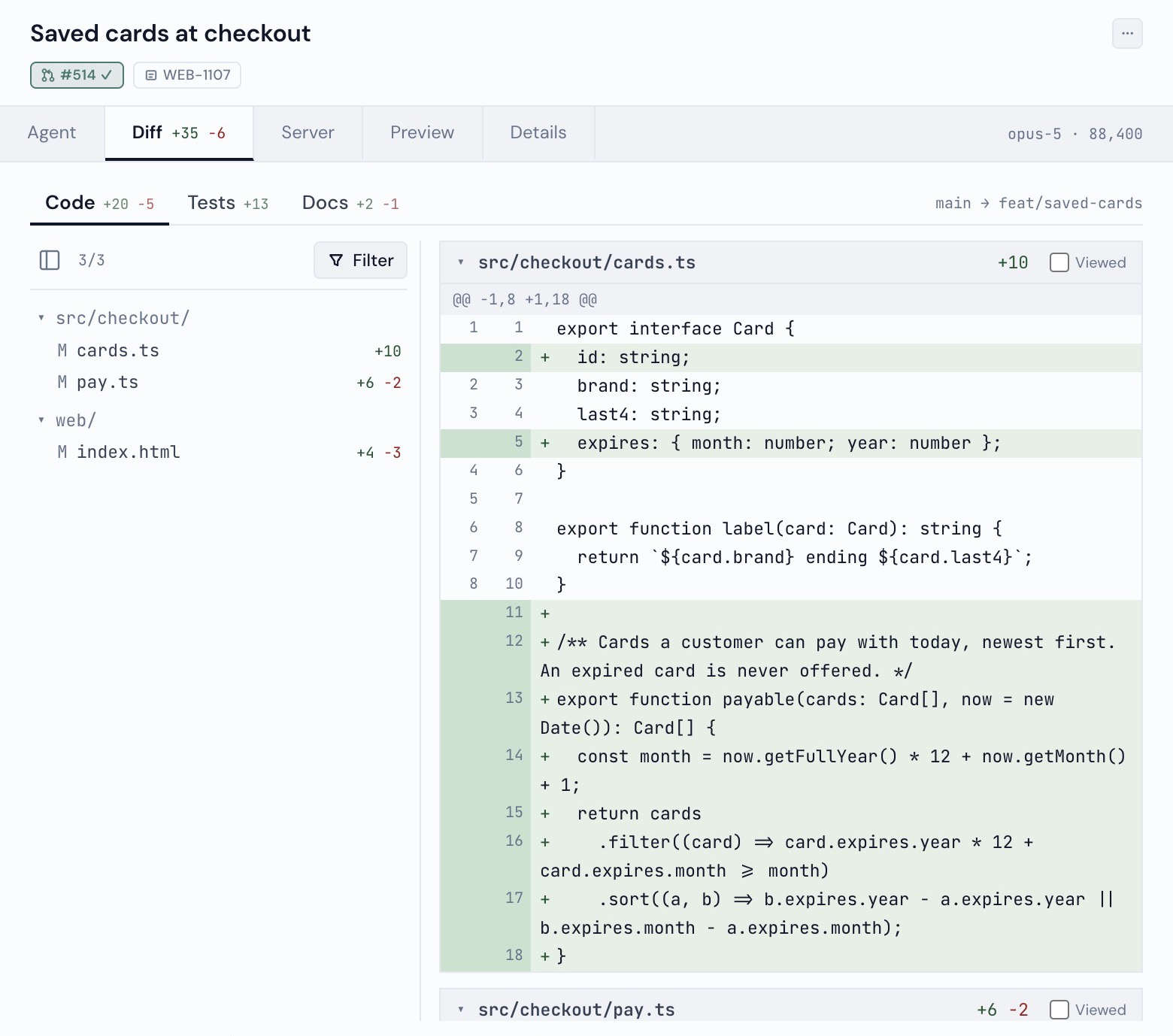
- Diff is the branch against its base, split into code, tests and docs, with line comments that go back to the session as one review.
- Server is a feature’s dev log, with Restart and Stop.
- Terminal holds plain shells in the session’s directory, on feature and chat rows, and always
has at least one. + opens another; drag them to split inside the tab, or drag one out to sit beside the other tabs.
Type
exitor press × to close one. - Preview is the feature’s running app inside the board, with a toolbar for pointing at what
is wrong: hover to outline an element, ↑ and ↓ to step out to its parent and back, click to
pick it, or drag to draw a box instead. Its address bar takes anything a browser’s does - a
/pathon the app,localhost:5173, a site, or words to search for - and the house button returns to the app. The toolbar is only on the feature’s own app, and Preview is only in the desktop app; in a browser tab, open the feature’s link instead. - Details is the session’s facts: its repo and branch, model, permission mode and age.
Keyboard
Section titled “Keyboard”Press ? for every shortcut. ⌘/ (Ctrl+/ off a Mac) puts each one on its control as a small badge, and turns them off again; Show keyboard shortcuts in Settings picks how a new browser starts. Hold ⌥ (Alt) on its own to see them for a moment.
| Key | Does |
|---|---|
/ |
Search; Esc leaves the box with the search kept |
n f s |
New, Filter, Sort |
, |
Settings |
↑ ↓ |
The previous or next session |
Enter |
Go to the session, the same as a double-click |
. |
The session’s ··· menu |
r x h |
Rename, Close, Snooze |
1 to 9 |
A tab by its place, left to right as you have arranged them |
[ ] |
The previous or next tab |
c |
The chat box; Esc leaves it with your draft kept |
t |
The Terminal view |
⌘. |
Leave the chat box, the Terminal view or any other box (Ctrl+. off a Mac) |
A shortcut never fires while you are typing in a box, the chat or the Terminal view, and there are
no badges on a phone. In the Terminal view Esc goes to the agent, so ⌘. is the way out.
- Search through every conversation on disk, best match first.
- Filters for sessions with a pull request or a running dev server.
- Light and dark, or a theme.
- A break nudge off your desktop’s own idle counter.
- Setup checks that name the command that fixes them: see When something is wrong.